Back to home page

Integrations

CampMatic controls your Truma heater and reads Bluetooth sensors for gas, water, battery and climate. Everything shows up in the app and on Telegram — and, if you like, in your smart home via MQTT.

What do you want to keep an eye on?

  • All sensors work with CampMatic Truma and CampMatic Guard
  • Up to 8 Bluetooth sensors per box, freely combinable
  • Alerts via app, Telegram and email as soon as a threshold is reached
  • Sensors not included — available separately

Which gas sensor suits your bottle?

Three ways to the fill level. You can mix them freely in one box.

Mopeka Truma Level Control Senso4s
Measuring principle Ultrasound through the bottle base Ultrasound through the bottle base Weight
Mounting Magnetically under the bottle Magnetically under the bottle Bottle stands on the scale
Bottles Steel, aluminium, fixed tanks, US sizes European steel and aluminium bottles, 5–33 kg Any bottle — including composite and plastic
In the app Percent, fill height, temperature Percent, kilograms, range in days Percent, remaining time, scale battery
Bottle set-up Directly in the CampMatic app In the Truma app In the Senso4s app

All devices in detail

CampMatic Truma heating controller for campers — WiFi & 4G

Truma heater

Heating
CampMatic Truma only

Measures

  • Room temperature
  • Hot water
  • Energy mix
  • Status & error codes

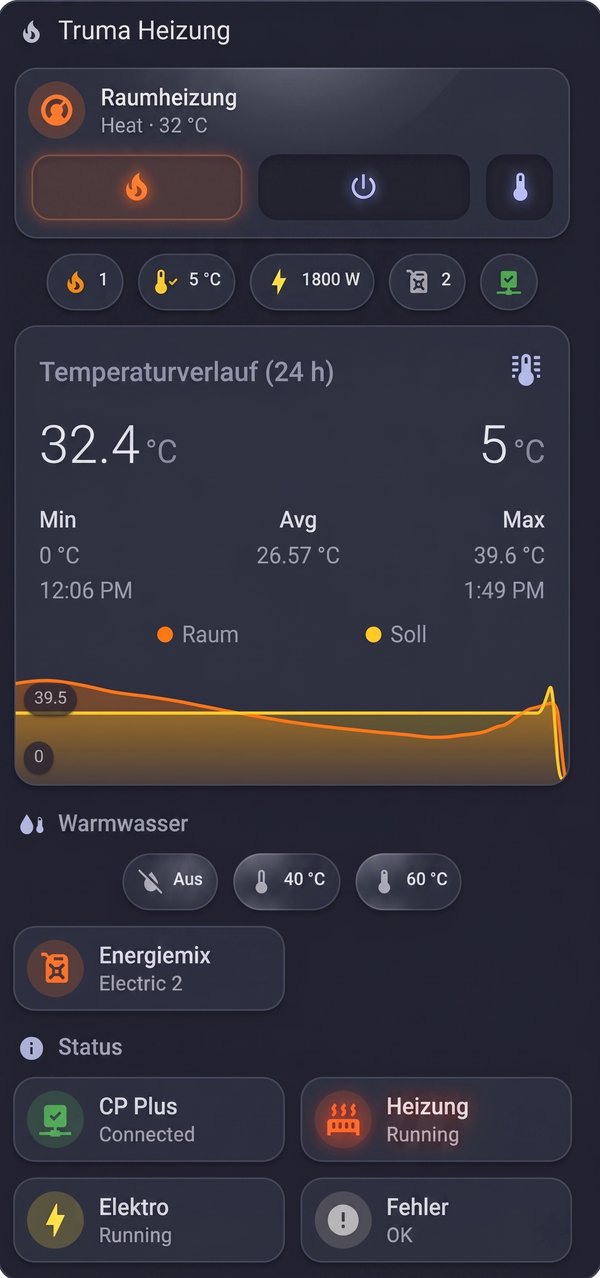
Control your Truma heater via app and Telegram: room temperature, hot water, energy mix and heating schedule — with live status and error codes. CampMatic takes on the role of a Truma iNet Box.

Supported heaters

Combi 4 · Combi 4 E · Combi 6 · Combi 6 E · Combi D 6 · Combi D 6 E · Vario Heat

Requirement: CP Plus control panel from version C4 (Vario Heat: P5). Not supported: Truma iNet X and an iNet Box connected at the same time.
Truma Level Control

Gas

Measures

  • Fill level in %
  • Kilograms
  • Range in days
  • Temperature

Truma's level sensor sits magnetically under the gas bottle. CampMatic receives the fill level ready-calculated — in percent and kilograms, plus an estimate of how many days the gas will last.

For European steel and aluminium bottles from 5 to 33 kg. You choose the bottle type in the Truma app, CampMatic takes it over.

Set-up: Choose “Add device” in the CampMatic app and press the button on the sensor once when the app asks you to.

CampMatic App — gas bottle & onboard battery

Mopeka

Gas · Water tank

Measures

  • Fill level in %
  • Fill height
  • Temperature

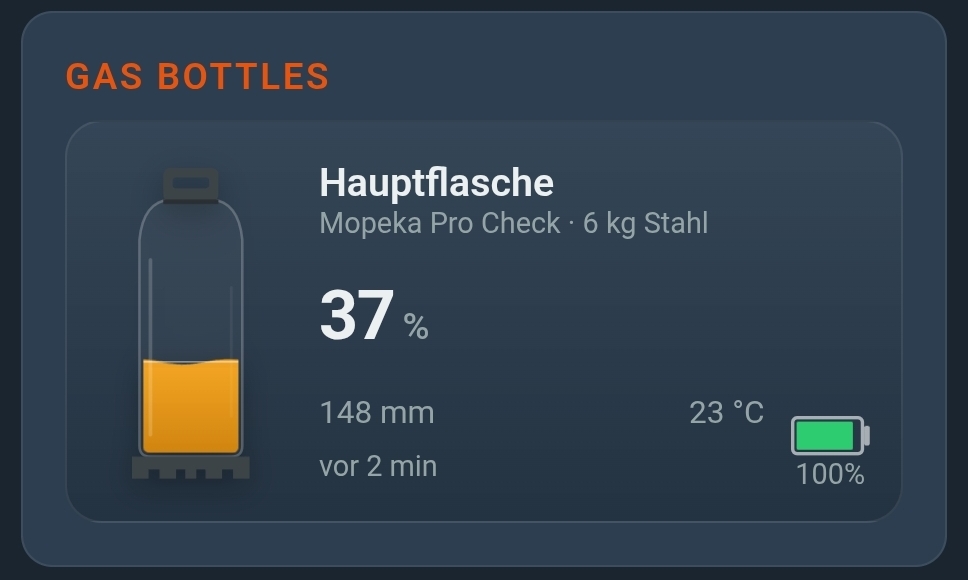
Mopeka sensors measure by ultrasound, without touching the gas system — for gas bottles and water tanks. You set the bottle type directly in CampMatic.

Models

  • Pro CheckGas · from below, for steel and aluminium bottles and fixed tanks
  • Pro+Gas · like Pro Check, with extended radio range
  • Pro Check UniversalGas and water · from below
  • Pro Check H2OWater · from below
  • TD40 · TD200 · Pro-200 · Pro-200BWater · mounted on top of the tank

Bottle types in the app: Steel 6, 11 and 14 kg · aluminium 6 and 11 kg · CampingGaz 907 · US 20, 30 and 40 lb · custom dimensions

Set-up: Choose “Add device” in the CampMatic app. If the sensor does not show up, briefly press the SYNC button on the Mopeka.

CampMatic app — gas bottle on the Senso4s scale

Senso4s

Gas

Measures

  • Fill level in %
  • Remaining time
  • Scale battery

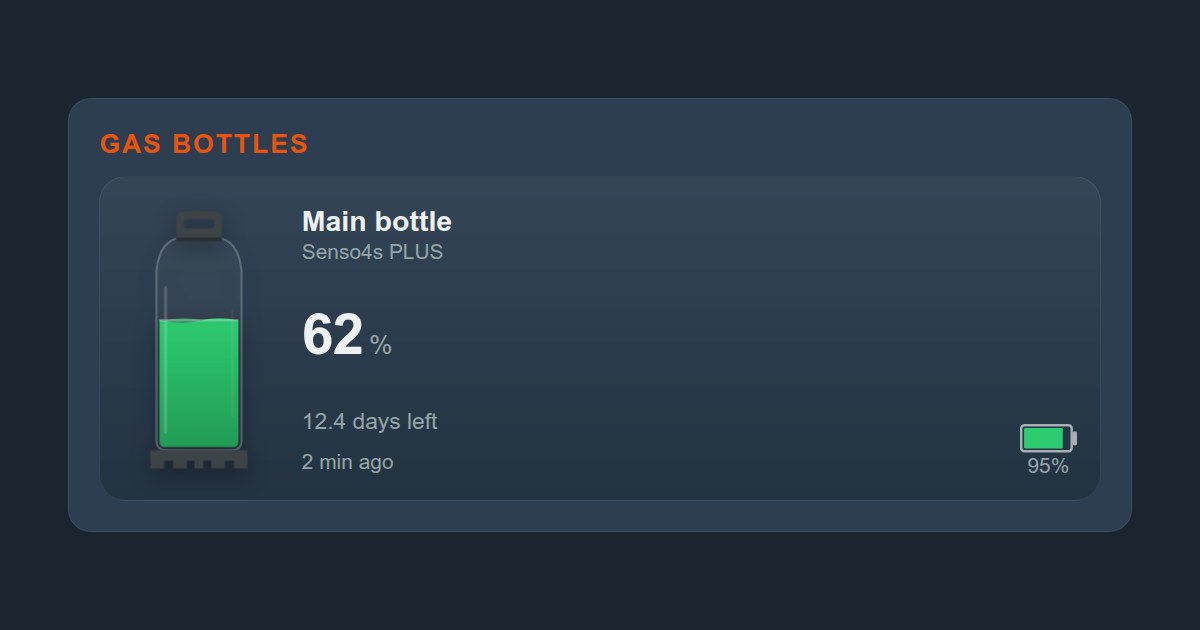
The scale sits under the bottle and determines the fill level by weight. That is why it also works with composite, plastic and lightweight bottles, where ultrasound cannot measure.

BASIC and PLUS — CampMatic detects the model automatically.

Set-up: Set up the scale once in the Senso4s app (bottle, zeroing) and close the app afterwards. Then choose “Add device” in CampMatic.

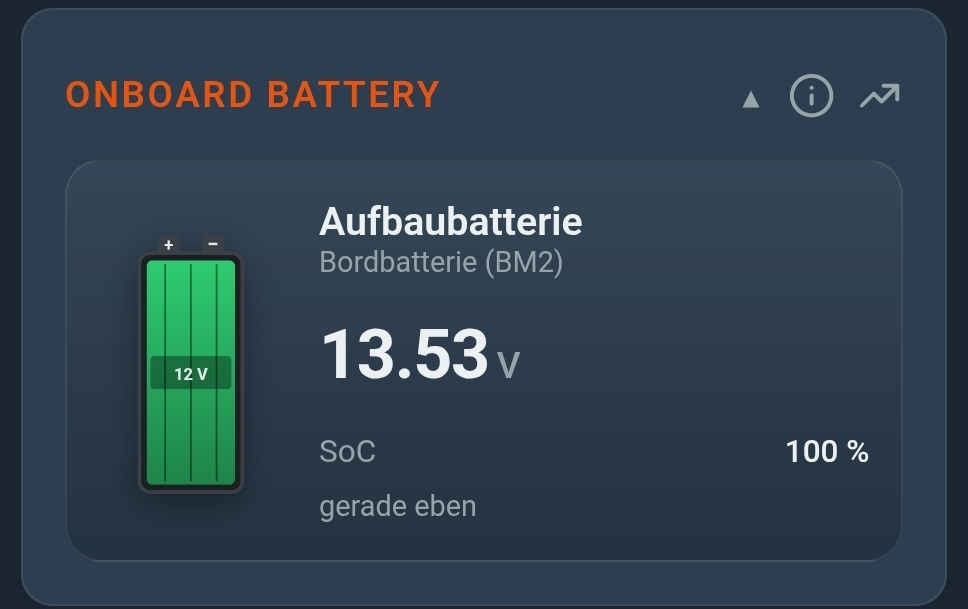
CampMatic app — live onboard battery voltage and SoC

BM2

Battery

Measures

  • Voltage
  • State of charge (SoC)
  • History up to 90 days

The standard BM2 monitor clamps onto the battery terminals and reports voltage and state of charge. Up to four monitors per box — e.g. for leisure and starter battery.

BM2 Bluetooth battery monitor for 12 V batteries (lead-acid, AGM, gel, LiFePO4).

Example to order: a standard BM2 battery monitor, e.g. this model on AliExpress →

Set-up: Choose “Add device” in the CampMatic app and tap the BM2 in the list.

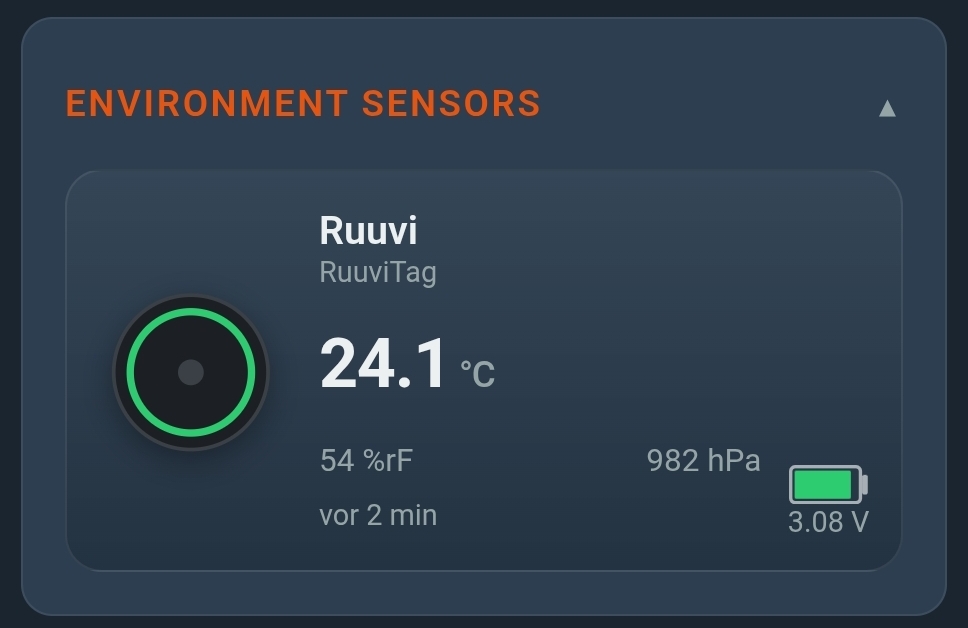
CampMatic — environment sensor: temperature, humidity, air pressure

RuuviTag

Climate

Measures

  • Temperature
  • Humidity
  • Air pressure

The small RuuviTag measures the climate wherever you put it — in the living area, the fridge or the rear garage. Several tags at once, no Ruuvi Gateway needed. With a frost warning in winter.

Set-up: Choose “Add device” in the CampMatic app — tags in range usually appear within a few seconds.

WiFi, 4G or local — you decide

Via WiFi

GC_HW01 · CM_LC_01

Connect the WiFi box to a network — phone hotspot, campsite WiFi, LTE router or Starlink. Full access from anywhere in the world. Applies to the WiFi variants of CampMatic Truma and Guard.

Via 4G Cellular

GC_HW_GSM01 · CM_LC_GSM01

The 4G variant connects directly via the cellular network — no WiFi needed. Works with any SIM card, compatible with most European mobile carriers. Applies to CampMatic Truma GSM (GC_HW_GSM01) and CampMatic Guard GSM (CM_LC_GSM01).

Local Fallback AP

All variants

No network? No problem. The box automatically creates its own WiFi network. Connect directly and control the heater locally or read gas and battery levels. Applies to all CampMatic models — Truma and Guard.

  • Operating temperature −20 to +50 °C
  • Power draw below 1 W (WiFi) or 1.5 W (4G)
  • Updates arrive automatically over the air (OTA)

Open to your smart home

CampMatic speaks MQTT. Your data can be used anywhere MQTT arrives.

Home Assistant

The box and your Truma heater register in Home Assistant by themselves via MQTT auto-discovery — around forty entities without a line of code. For gas, battery and climate there is a ready-made package, plus a dashboard.

To the Home Assistant guide
CampMatic in Home Assistant — dashboard

ioBroker, Node-RED & co.

All values are available as MQTT topics. That makes it easy to connect ioBroker, Node-RED or any other system that speaks MQTT.

ioBroker guide

Your own MQTT broker

If you want the data to stay on your own network, enter your own broker in the box. The app, Telegram and email notifications will not work then, because they need our server.

More in the FAQ

Telegram bot

Check the status, switch the heater, receive alerts — right in the chat and, if you like, for several people.

Alexa & Google Assistant

Voice control works via Home Assistant: once CampMatic is connected there, you pass the heater on to Alexa or the Google Assistant. There is no dedicated Alexa skill.

Coming soon

Next up: CampMatic for Alde heaters

We're working on support for Alde 3020 and Alde 3030. Join the waitlist and be the first to know when it's ready.

Join the waitlist

Which CampMatic suits you?

With a Truma heater: CampMatic Truma. Without: CampMatic Guard. Both read every sensor on this page.