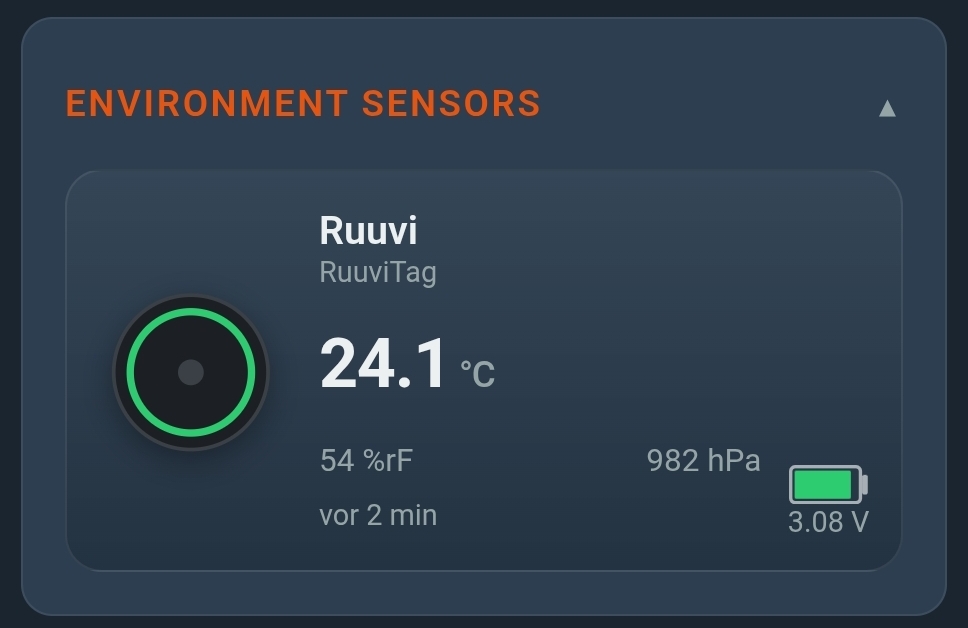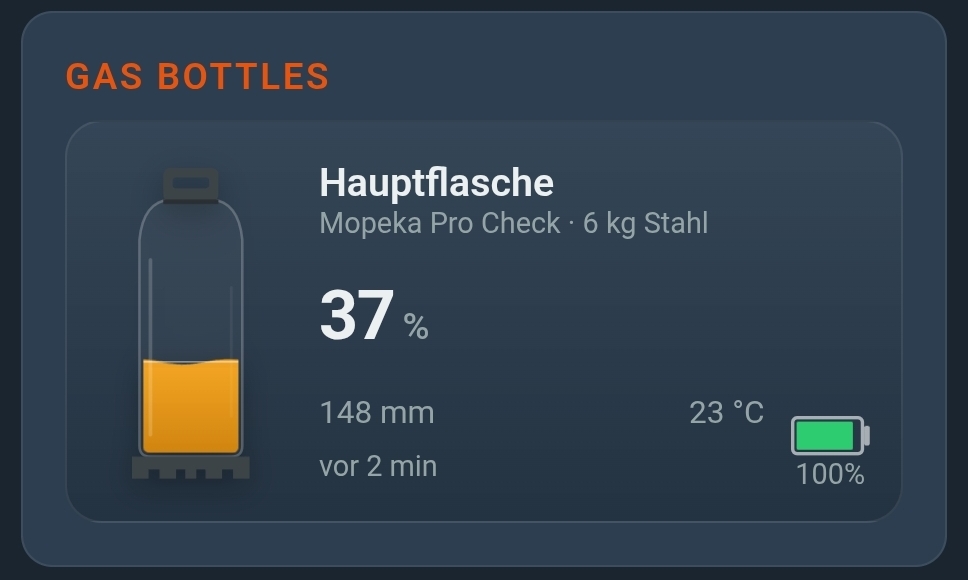
Short and sweet: CampMatic now reads the Truma Level Control. Alongside the Mopeka sensors we have supported for a long time, you can now pair Truma's gas level sensor as well — and get its readings where they belong: remotely, in the app, in the Telegram bot and in Home Assistant.
If you already have a Level Control stuck under your bottle, you do not need any new hardware. A firmware update on the CampMatic box is enough.
What the Truma Level Control does
The Level Control is Truma's gas level gauge. It attaches to the bottom of the gas bottle with a strong magnet — no drilling, no interference with the gas system, no certification required.
It measures by ultrasound: a sound pulse travels through the bottom of the bottle into the liquid gas, reflects off the surface of the LPG column and returns. The time of flight gives the fill height.
The key facts:
- Communication via Bluetooth
- Power: 2× AAA (LR03)
- Weight: around 120 g
- Fits common European steel and aluminium bottles from 5 to 33 kg
One important difference to other sensors: the Level Control does the maths itself. You set the bottle type once in the Truma app, and from then on the sensor reports not just a percentage but also the gas quantity in kilograms and an estimate of the remaining runtime in days.
And where it stops: Bluetooth is local
This is the catch — and it applies to every Bluetooth gas sensor equally. Bluetooth reaches about ten metres.
As long as you are in or next to the vehicle, the Truma app shows the level reliably. But standing at home, in the office or 300 kilometres away, the best sensor is of no help: your phone simply does not receive the Bluetooth signal through the wall.
Truma's official route to remote access is the iNet Box — a system of its own, designed primarily for heater control. If all you want is to see the gas level remotely, that is a comparatively expensive way to get there. More on this in our article on the alternative to the Truma iNet Box.
What CampMatic adds
CampMatic is the bridge. The CampMatic box stays in the vehicle, reads the Level Control over Bluetooth and forwards the values over WiFi or the 4G mobile network.
The result: you see the gas level on your sofa, in the office or on the beach — regardless of where your camper happens to be parked. In the CampMatic app, in the Telegram bot and, if you like, in Home Assistant.
Truma Level Control or Mopeka?
Both work. Both at the same time works too — you could fit the main bottle with a Level Control and the spare with a Mopeka. CampMatic does not mind.
| Truma Level Control | Mopeka Pro Check | |
|---|---|---|
| Measuring principle | Ultrasonic from outside, magnet | Ultrasonic from outside, magnet |
| Readout | Percent and kilograms, plus remaining range in days | Percent and fill height in mm |
| Setting the bottle type | in the Truma app | directly in CampMatic |
| Conversion | in the sensor | in CampMatic, or via templates in Home Assistant |
| Battery | 2× AAA | CR2032 |
| Bottles | European steel and aluminium bottles, 5–33 kg | Steel, aluminium, fixed tanks, US sizes |
| In CampMatic | from firmware 1.22 | from the start |
In short: if you want the kilogram readout and the remaining range, take the Level Control. If you need to monitor fixed tanks or US bottle sizes, or prefer to manage the bottle type inside CampMatic, Mopeka is the better fit.
Setup in two steps
1. In the Truma app: set the bottle type
For the Level Control this is mandatory, not optional. The sensor derives percent and kilograms solely from the stored bottle type. If nothing is set there, the reading in CampMatic stays empty — CampMatic only reads that value and cannot override it.
2. In CampMatic: add the device
Under Settings → Devices → Add device, pick the type Truma Level Control. Pairing runs in two stages:
- The scan starts and the sensor appears on its own in the list — you do not have to press anything yet.
- Once it is listed, press the button on the sensor once. The credentials are then read out, which takes about a minute.
- When it says "ready", tap it and save. Done.
Requirement: firmware 1.22 or newer on the CampMatic box. With older firmware the device type does not even appear in the list — install the update first.
What you see afterwards
For each bottle, the CampMatic app shows:
- Level in percent and fill height in millimetres
- Gas quantity in kilograms
- Estimated remaining range in days — needs some consumption history before it becomes meaningful
- Bottle type, exactly as configured in the Truma app
- Temperature at the bottle
- Sensor battery level
- Signal strength — handy for finding the best spot for the box
You can add several bottles and give them their own names, for example "Main bottle" and "Spare". Up to eight sensors can be paired per device in total — gas bottles, battery monitors and climate sensors share that allowance.
An alert before the gas runs out
The real benefit arrives once you no longer have to check yourself. In the "Notifications" card you set a threshold per bottle and get notified automatically — by email and Telegram, each switchable on its own.
In winter camping this is worth its weight in gold: the heater runs through the night, and at three in the morning the message arrives, "gas at 12 %". You then know before breakfast that the bottle needs swapping — instead of finding out in a cold shower.
Home Assistant and MQTT
The Level Control values are published on dedicated MQTT topics under campmatic/<device number>/truma/bottle_<slot>/… — as gas_percent, gas_gram, remaining_days, temperature, battery and bottle_type.
The pleasant part: because the sensor already does the maths, Home Assistant needs no conversion formulas and no template sensors — plain MQTT sensors are enough. With Mopeka this is more involved, as the ultrasonic time of flight first has to be converted into a fill level.
A detailed step-by-step guide for the Level Control will be added to the help section shortly. The finished guides for Mopeka, BM2 and Ruuvi are already there today.
Which CampMatic devices support it?
All four. The Level Control works with the Truma boxes as well as with the Guard devices:
- CampMatic Truma WiFi and Truma 4G — heater control plus gas, battery and climate sensors in one device
- CampMatic Guard WiFi (€89) and Guard 4G (€129) — for every camper, whatever heater is installed
Existing customers need no new hardware: install the firmware update to 1.22, pair the sensor, done.
What does the whole setup cost?
You can buy the Truma Level Control from camping and caravan retailers; it is not included with CampMatic, and we do not sell it ourselves. On top of that comes the CampMatic box:
- CampMatic Guard WiFi — €89, connects via phone hotspot or campsite WiFi
- CampMatic Guard 4G — €129, reachable without WiFi using its own SIM card
- CampMatic Truma WiFi — €149, if you also want to control the Truma heater
For winter storage without a power hookup, the 4G variant is the safe choice — it works even where no WiFi is available on the pitch.
Conclusion
The Truma Level Control is a good sensor with one clear limitation: it ends where Bluetooth ends. CampMatic removes exactly that limit — without an iNet Box, without a second app, and without new hardware for existing customers.
And because Level Control and Mopeka run side by side as equals, you do not even have to choose: take the sensor you already own, or the one that suits your bottle better.
→ Order CampMatic Guard WiFi — €89.00
→ Order CampMatic Guard 4G — €129.00
→ CampMatic Truma WiFi with built-in gas monitoring — €149.00
Questions about compatibility with your bottle or about the setup? Check the help section or drop us a line via the contact form.