The short version: CampMatic now reads the Senso4s BASIC and PLUS gas scales. That closes a gap our existing gas sensors could not cover — composite and plastic bottles can now be monitored remotely too.
Mopeka and the Truma Level Control both work with ultrasound. A sound pulse travels up through the bottom of the bottle into the liquid gas and bounces back off its surface. On steel and aluminium that works well; on composite and plastic bottles it does not. A scale sidesteps the problem entirely: it measures how much the bottle weighs, and weight does not care what the bottle is made of.
What the Senso4s scale does
The Senso4s is made by Senso4s d.o.o.; in Germany it is also sold under the GOK name, among others. The gas bottle stands on the scale, and the scale works out the fill level from the weight.
For that, you enter the bottle's empty weight and its gas capacity once in the Senso4s app. From those two numbers the scale calculates the level in percent. On top of that it produces its own forecast of how long the gas will last.
There are two models:
- Senso4s BASIC — fill level, scale battery and runtime forecast
- Senso4s PLUS — read by CampMatic in exactly the same way
Because it weighs rather than listens for an echo, the scale works with any bottle — steel, aluminium, composite or plastic. For lightweight composite bottles, where ultrasonic sensors fail, it is the answer.
The catch: Bluetooth reaches about ten metres
The scale sends its readings over Bluetooth. While you are in or next to the camper, the Senso4s app shows you the level. But Bluetooth only reaches about ten metres. From home, from the office or from winter storage 200 kilometres away, you see nothing.
That is not a flaw of the Senso4s — it applies to every Bluetooth sensor, Mopeka and the Truma Level Control included.
What CampMatic adds
CampMatic is the bridge. The CampMatic box stays in the vehicle, picks up the scale over Bluetooth and forwards the readings over WiFi or the 4G mobile network — to the CampMatic app, the Telegram bot and, if you like, Home Assistant.
CampMatic only listens. The scale broadcasts its readings over Bluetooth anyway, and CampMatic simply picks them up. There is no connection, no password and no button to press on the scale.
And you get something no app on the pitch can give you: an alert before the gas runs out, even when you are not looking.
Mopeka, Truma Level Control or Senso4s?
All three run side by side in CampMatic, and you can mix them. Which one fits mostly depends on your bottle:
| Mopeka Pro Check | Truma Level Control | Senso4s BASIC / PLUS | |
|---|---|---|---|
| Measuring principle | Ultrasonic from outside | Ultrasonic from outside | Weight |
| Mounting | Magnet under the bottle | Magnet under the bottle | Bottle stands on the scale |
| Bottles | Steel, aluminium, fixed tanks, US sizes | European steel and aluminium bottles, 5–33 kg | Any bottle |
| Composite / plastic | No | No | Yes |
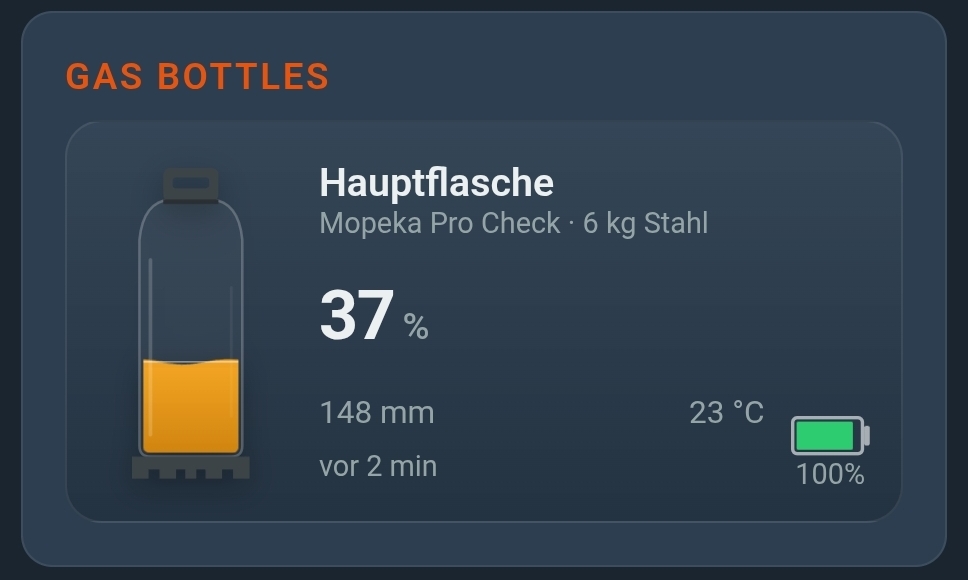
| Readout in CampMatic | Percent and fill height in mm | Percent, kilograms, remaining range in days | Percent, runtime forecast, battery |
| Setting up the bottle | directly in CampMatic | in the Truma app | in the Senso4s app |
| In CampMatic | from the start | from firmware 1.22 | new |
In short: for steel and aluminium bottles, Mopeka and the Truma Level Control are the obvious choice — how those two differ is covered in Truma Level Control remote monitoring. For composite and plastic bottles, the Senso4s scale is the way to go, because ultrasound cannot measure them.
Setup in two steps
1. In the Senso4s app: set up the scale
The scale calculates the level itself, based on what you enter in the Senso4s app. CampMatic only reads the result and cannot change those settings. You set up once:
- the bottle's empty weight
- its gas capacity — how much gas the bottle holds
- the usage mode
- zeroing the scale — only with the bottle removed, otherwise the zero point is wrong
Then close the Senso4s app. This is the step that matters most: while the app is connected to the scale, the scale does not broadcast anything, and CampMatic cannot find it.
2. In CampMatic: add the scale
In the CampMatic app, go to Devices, tap Add and pick the type Senso4s BASIC / PLUS. Then:
- The scan starts and the scale shows up in the list. There is nothing to press.
- If you have more than one scale, tell them apart by fill level and signal strength.
- Tap the scale, save, done.
What you see afterwards
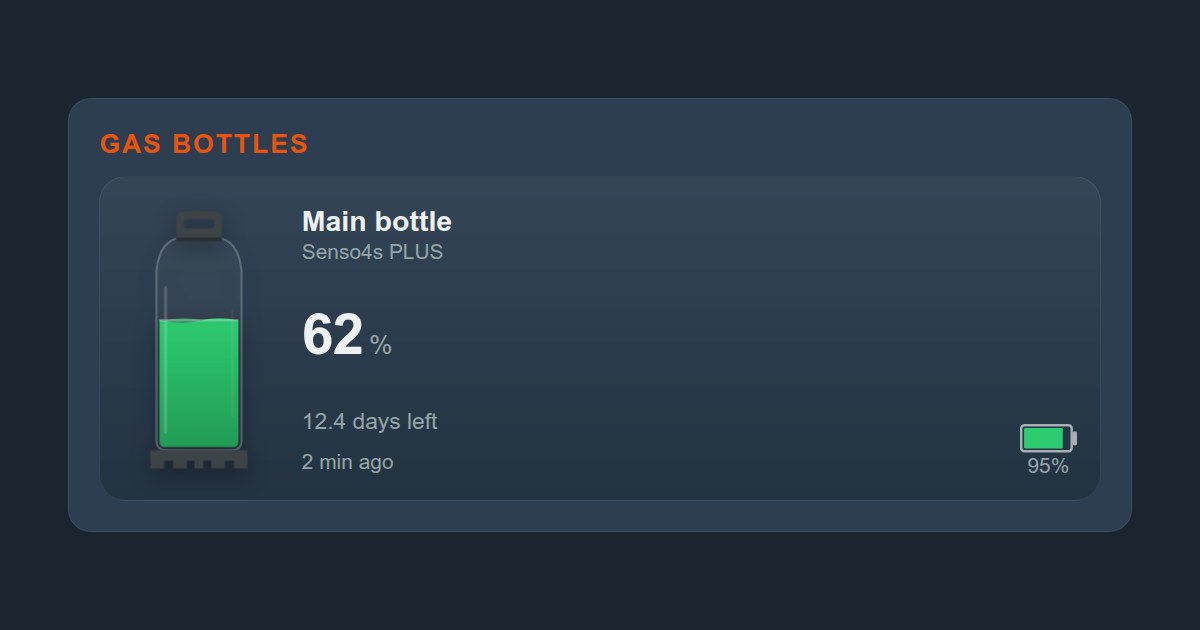
For each scale, the CampMatic app shows:
- Fill level in whole percent
- Remaining runtime — the scale's own forecast, for example "< 1 h", a few hours or several days
- Battery level of the scale
- Model: BASIC or PLUS
The history appears in the gas chart. If the scale is not measuring at the moment — say its batteries are flat or it needs zeroing again — the card tells you what is wrong instead of showing a percentage.
You can also run several scales on one CampMatic box, for example under the main and the spare bottle. Up to eight Bluetooth sensors fit on one device in total; Senso4s scales, Mopeka, Truma Level Control, Ruuvi climate sensors and BM2 battery monitors all share that allowance.
How fresh are the readings?
The scale takes a measurement every 15 minutes, and CampMatic reads it roughly every five minutes. So a change at the bottle can take up to about 20 minutes to reach the app. For a gas bottle that empties over hours and days, that makes no practical difference.
An alert before the gas runs out
In the "Notifications" card you set a separate "gas low" threshold for each scale. When the level drops below it, CampMatic lets you know — by Telegram, email or push.
With a scale, a second alert matters just as much: CampMatic tells you when the scale stops measuring. That happens when its batteries are flat, when it needs zeroing again or when something is wrong with the setup. Without that alert you would be trusting a fill level that is long out of date.
In the Telegram bot, /status includes the scale, so you can check the gas without opening the app.
Home Assistant and MQTT
The scale's readings are published on dedicated MQTT topics under campmatic/<device number>/senso4s/bottle_<N>/…:
gas_percent   fill level in percent (only for a valid measurement)
level_raw     0–100 = percent, 255 = zeroing needed,
              254 = battery empty, 252 = setup error
flags         status byte of the scale (model, usage mode)
battery       scale battery
prognosis     remaining runtime in 15-minute steps, 65535 = no forecast
rssi          signal strength
Because gas_percent is only sent for a valid measurement, Home Assistant keeps showing the last value when the scale is in an error state. level_raw tells you whether it is actually measuring. The step-by-step guide has its own Senso4s chapter in our Home Assistant guide.
Which CampMatic devices support it?
The scale works with the Truma boxes and with CampMatic Guard:
- CampMatic Truma WiFi and Truma 4G — heater control plus gas, battery and climate sensors in one device
- CampMatic Guard — gas and onboard battery monitoring, whatever heater your camper has
What does the whole setup cost?
The Senso4s scale is available from retailers as BASIC and PLUS — in Germany also under the GOK name. It is not included with CampMatic. On top of that comes the CampMatic box:
- CampMatic Guard WiFi — €89, connects via phone hotspot or campsite WiFi
- CampMatic Truma WiFi — €149, if you also want to control the Truma heater
- CampMatic Truma 4G — €189, reachable without WiFi using its own SIM card
Conclusion
Composite and plastic bottles used to be a blind spot: ultrasonic sensors cannot measure them. The Senso4s scale solves that by weighing the bottle. CampMatic takes its readings beyond Bluetooth range — to the app, Telegram and Home Assistant, with an alert before the gas runs out and another one if the scale itself stops measuring.
You set up the scale once in the Senso4s app. Then close that app, pair the scale in CampMatic, done — no password, no button.
→ Order CampMatic Guard WiFi — €89.00
→ CampMatic Truma WiFi with built-in gas monitoring — €149.00
→ CampMatic Truma 4G with its own SIM card — €189.00
Questions about the setup? Check the help section or drop us a line via the contact form.