You have a Senso4s scale under your gas bottle and Home Assistant at home? Then it makes sense to see your gas supply where everything else comes together: on your own dashboard, with history and with a warning before the bottle runs dry.
Here is the route at a glance. The details, with every file, are in our Home Assistant guide, and we link to the relevant chapters along the way.
The short version
- How it works: the CampMatic box in your vehicle reads the Senso4s over Bluetooth and sends the readings to your Home Assistant via MQTT, over WiFi or 4G.
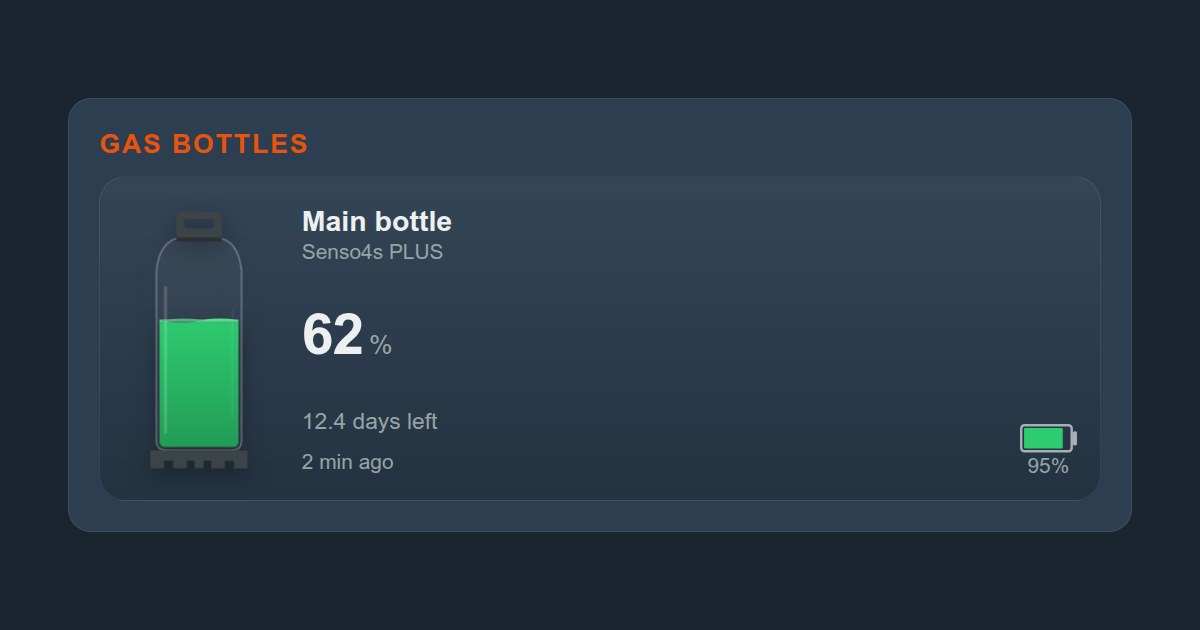
- What you get: level in percent, time left, the scale's battery, signal strength and a state that tells you whether the scale is measuring at all. The PLUS adds warnings.
- Requirement: a CampMatic box with firmware 1.37.10 or later. That applies to CampMatic Guard, CampMatic for Truma CP Plus and CampMatic for Truma iNet X.
Why go through the CampMatic box?
The Senso4s transmits over Bluetooth. Home Assistant only receives Bluetooth devices within range of its own Bluetooth hardware. If your Home Assistant runs at home while the camper sits in winter storage, on a pitch or out on the road, nothing arrives.
The CampMatic box stays in the vehicle, reads the scale right next to the bottle and delivers the readings to your Home Assistant via MQTT, over WiFi or 4G, wherever it runs. You see the same readings in the CampMatic app and in the Telegram bot.
What you need
- A Senso4s scale, BASIC or PLUS. CampMatic detects the model itself.
- A CampMatic box in the vehicle with firmware 1.37.10 or later. Older boxes get the update on request from our support. Until then the app does not even offer the scale for pairing.
- A free sensor slot: each box takes up to eight Bluetooth sensors, of which at most four BM2. The scale uses one of them.
- Home Assistant with admin access and the official Mosquitto broker add-on. Newer versions call add-ons "apps".
- Your MQTT credentials from the CampMatic app. They are on your box's Status page.
The route in eight steps
- Set up the scale in the Senso4s app: enter the bottle (empty weight and fill quantity) and zero the scale. That can only be done there.
- Close the Senso4s app. While it is connected to the scale, the scale broadcasts nothing and the box cannot hear it.
- Pair it in the CampMatic app: under Devices → Add, choose Senso4s BASIC / PLUS. The scale needs neither a password nor a button press. If you have several, tell them apart by gas level and signal strength.
- Note your credentials: username, password, device number and device ID from the app (chapter 2).
- Set up Mosquitto: create the folder
/share/mosquittobefore you switch on thecustomizeoption, otherwise the add-on will not start (chapter 3). - Bridge to the CampMatic broker: one file of about twenty lines, then restart the add-on. The last line, with your device ID, is the one that matters (chapter 4). To check that readings arrive, listen to
campmatic/<GERAETE_ID>/#(chapter 5). The scale does not register on its own; it sends on topics of its own. - Find the scale's slot number: in Home Assistant, listen to
campmatic/<GERAETE_ID>/+/config. Slots are numbered across all sensor types, so guessing does not work (chapter 8). - Create the sensors and restart: copy the Senso4s block from our package into your configuration, replace
<GERAETE_ID>and<SLOT_SENSO4S>, check the configuration and do a full restart of Home Assistant. Reloading is not enough for new MQTT sensors (chapter 12).
All that is left is the display: the ready-made dashboard from chapter 14 has a Gas Scale group of its own.
What arrives
Six readings arrive under the scale's slot number, each under campmatic/<GERAETE_ID>/senso4s/bottle_<SLOT_SENSO4S>/…:
| Topic | Content |
|---|---|
gas_percent | level 0–100 %, only for a valid measurement |
level_raw | level or status code |
flags | model, warnings (PLUS only) and usage mode |
battery | the scale's battery in percent |
prognosis | time left in 15-minute steps |
rssi | signal strength in dBm |
Our package turns them into sensors with readable names: Gas Scale Level, Gas Scale State, Gas Scale Time Left in hours, Gas Scale Battery and Gas Scale Signal. On top come problem sensors: Gas Scale Not Measuring for both models, and Moved, Tilted and Temperature Warning for the PLUS only. Model and usage mode are optional diagnostic values.
The one trap: the last percentage stays put
gas_percent is only sent for a valid measurement. If the scale needs zeroing or its battery is flat, nothing new arrives there, and Home Assistant keeps showing the last percentage as if all were well.
That is why our package is built on level_raw. It arrives with every reading and holds either the level (0–100) or a status code: 255 means zeroing needed, 254 battery flat, 252 setup error, 241 to 247 measurement disturbed (PLUS only). With a status code, Gas Scale Level shows "unknown" instead of an old value, and Gas Scale State tells you why.
How current are the readings?
The Senso4s weighs the bottle every 15 minutes, and the box reads it roughly every five minutes. So the level changes at most every quarter of an hour, even though readings arrive more often. For a gas bottle that empties over hours and days, that is plenty.
Readings are not stored on the broker. After a restart of Home Assistant the sensors therefore read "unknown" for up to five minutes. Only when nothing arrives for 45 minutes do they switch to "unavailable".
What it costs
CampMatic has no subscription. The app and the server are free; you buy the box once. For sensors without a Truma heater, CampMatic Guard is all you need: Guard WiFi for €89 or Guard 4G for €129. The 4G version needs a SIM card of your own, which is not included; an IoT SIM costs from around €2 a month. If you also want to control your Truma heater, CampMatic for Truma starts at €149. The Senso4s scale is not included.
Frequently asked questions
All of the scale's sensors show "unavailable". What now?
Usually the Senso4s app is still connected to the scale. Close it, and the readings come back within a few minutes. More cases are covered in the troubleshooting chapter.
Will I know the scale has stopped measuring even without Home Assistant?
Yes. CampMatic notifies you, for example via Telegram or email, when the gas drops below your threshold or the scale stops measuring.
Can I mix the scale with other gas sensors?
Yes. Truma Level Control, Mopeka and Senso4s can be combined on one box as long as the eight slots last (FAQ).
And the solar system?
Victron SmartSolar, SmartShunt and BMV-712 Smart reach Home Assistant the same way: Victron in Home Assistant.
→ Order CampMatic Guard WiFi — €89
→ Order CampMatic Guard 4G — €129
Further reading: