We announced it in November, and now it is here: CampMatic for Truma iNet X, the CampMatic box for vehicles with the Truma iNet X Panel. It connects to the panel via Bluetooth, is powered via a USB cable and brings your vehicle into the CampMatic app, with heating, hot water, timers, tanks, the electrical system and air conditioning.
What is new?
Until now, CampMatic needed a Truma CP Plus. If your vehicle has the iNet X Panel with its touch display instead, you were out of luck. The new box closes that gap. It is a dedicated CampMatic box that talks directly to the iNet X Panel:
- No requirement on the panel, not even a particular firmware.
- No cable to the heater, no splitter, no Y-adapter, no coupler. The box only needs its USB cable for power.
- Available as a WiFi and a 4G variant. The 4G box uses your own SIM card.
What you control and see in the app
- Heating: room temperature, mode and energy source or energy mix.
- Hot water: the hot water levels.
- Heating level (comfort or fast).
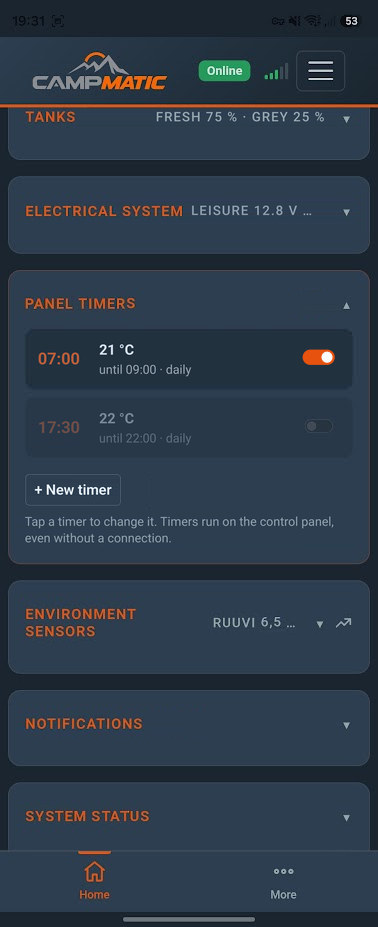
- Timers: you create, change and delete the panel's timers in the app and switch them on or off. They keep running on the control panel, even when there is no connection.
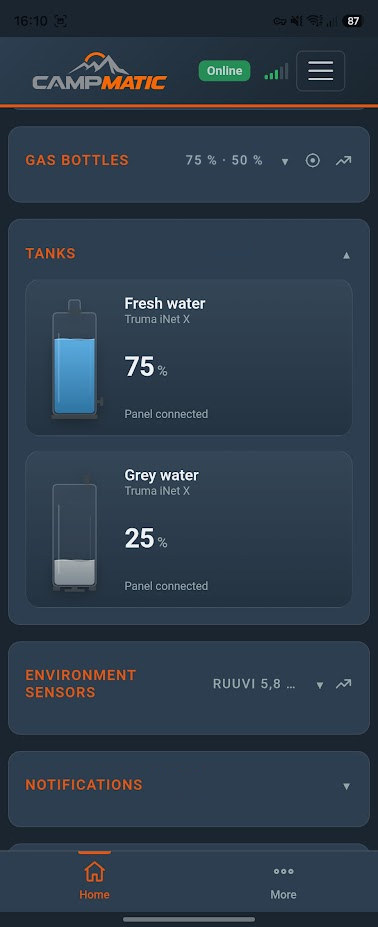
- Tanks: fresh and grey water, if an electrical block is connected to the panel. The app shows the levels in 25% steps.
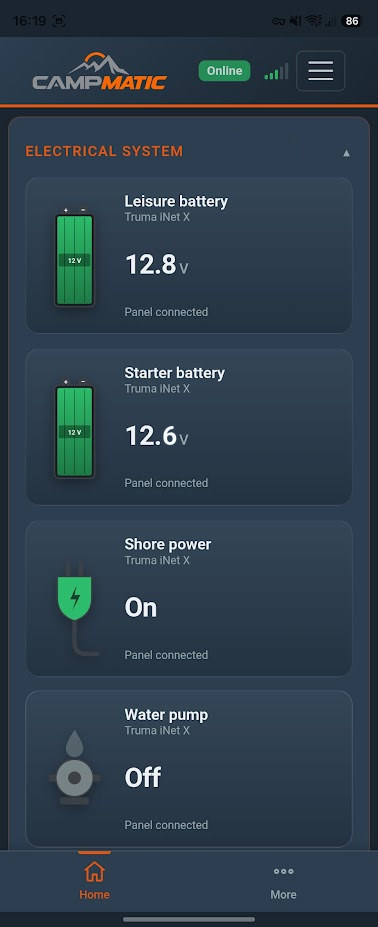
- Electrical system: leisure and starter battery, shore power and water pump.
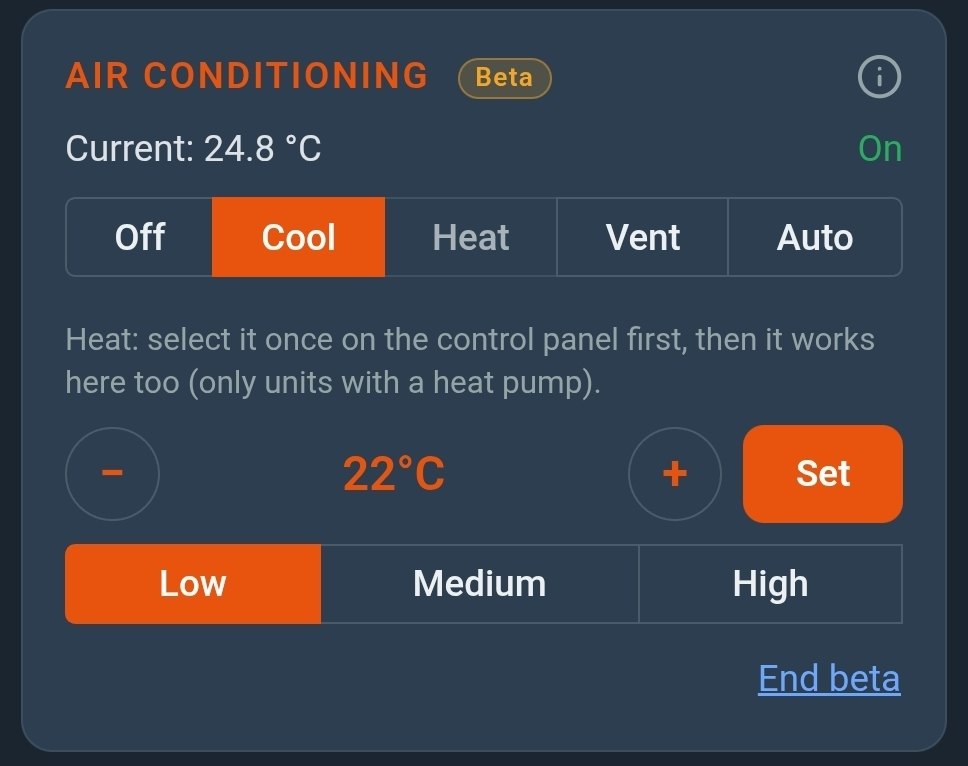
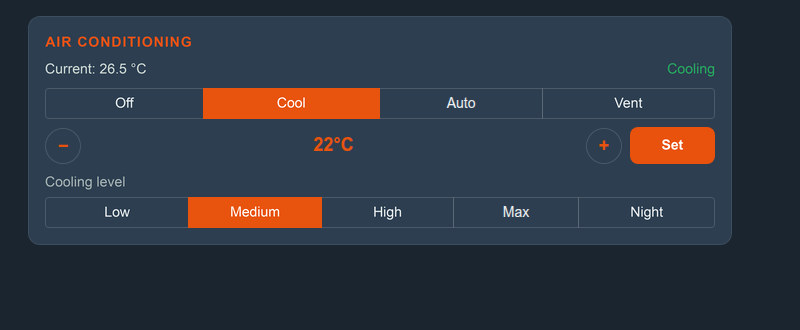
- Air conditioning: if a Truma air conditioner is connected to the panel, you have full control — cool, auto or vent, target temperature and cooling level.
- Gas bottles: via a Truma Level Control paired with the panel.

Plus everything CampMatic does anyway
The box also reads Bluetooth sensors directly: Mopeka (gas), BM2 (battery), Ruuvi (temperature and humidity), the Victron SmartSolar, SmartShunt and BMV-712 Smart, and the Senso4s gas scale. You see it all together in the CampMatic app for iPhone, Android and the browser. On top come the Telegram bot, notifications when a threshold is reached and the connection to Home Assistant via MQTT.
A note on the Truma Level Control: with iNet X you pair it with the panel, not with the CampMatic box. Its levels then appear in the app automatically. All sensors at a glance are on the Integrations page.
Which box for which panel?
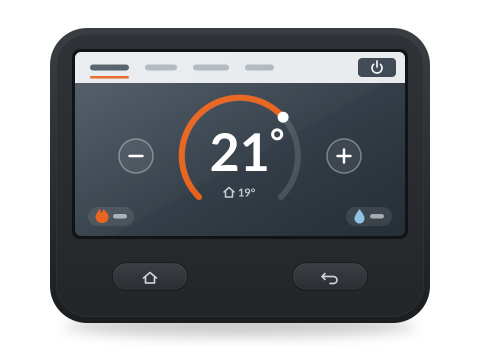
- Truma iNet X Panel (colour touch display, operated with your finger): CampMatic for Truma iNet X. No requirement.
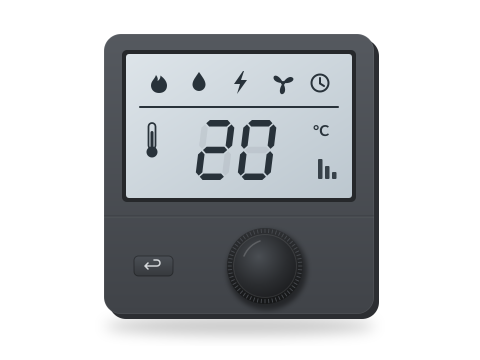
- Truma CP Plus (display with rotary knob, iNet Box system): CampMatic for Truma CP Plus. The CP Plus needs firmware C4.xx.xx or F4.xx.xx, on the Vario Heat P5.xx.xx.
The two boxes are not interchangeable. Not sure what is fitted in your vehicle? The FAQ explains how to tell your control panel apart.
How to pair the box with the panel
- Power the box via the USB cable, bring it online via Wi-Fi or 4G and register it in your account, just like the other CampMatic boxes.
- Close the Truma app on your phone. The iNet X Panel needs a free slot in its device list.
- In the CampMatic app: Settings → card "Truma iNet X panel" → "Pair panel".
- On the iNet X Panel, choose "Add device" (Bluetooth), just as you would pair a new smartphone.
- Tap "Pair now" in the app. The window stays open for 2 minutes.
- If the panel then shows "Something went wrong", that is normal. The green bar in the app shows the connection.
The panel keeps one Bluetooth connection. If you want to use the Truma app in between, tap "Release for Truma app (30 min)" in the CampMatic app. Installation and pairing are covered in detail in the help section.
And the Truma app?
It stays as it is. Nearby it connects to the panel via Bluetooth, and for official remote access Truma offers the iNet X Connect. CampMatic is another option. You then have Telegram, Home Assistant and your external sensors in the same app as the heater.
Prices
- CampMatic for Truma iNet X · WiFi: €149
- CampMatic for Truma iNet X · 4G: €189 (with your own SIM card)
There are no fixed monthly costs. The CampMatic app, access via our server, the Telegram bot and the notifications cost nothing extra; with the 4G variant you only pay your own mobile tariff. Sensors are not included.
→ Order CampMatic for Truma iNet X · WiFi — €149
→ Order CampMatic for Truma iNet X · 4G — €189
All details are on the product page CampMatic for Truma iNet X.
In short
- CampMatic for Truma iNet X is available, as a WiFi and a 4G variant.
- Connection to the panel via Bluetooth, power via USB cable, no requirement on the panel.
- Heating, hot water, timers, tanks, electrical system, air conditioning and gas via the Truma Level Control, plus the external sensors.
- No fixed monthly costs.
- With a CP Plus, CampMatic for Truma CP Plus remains available.