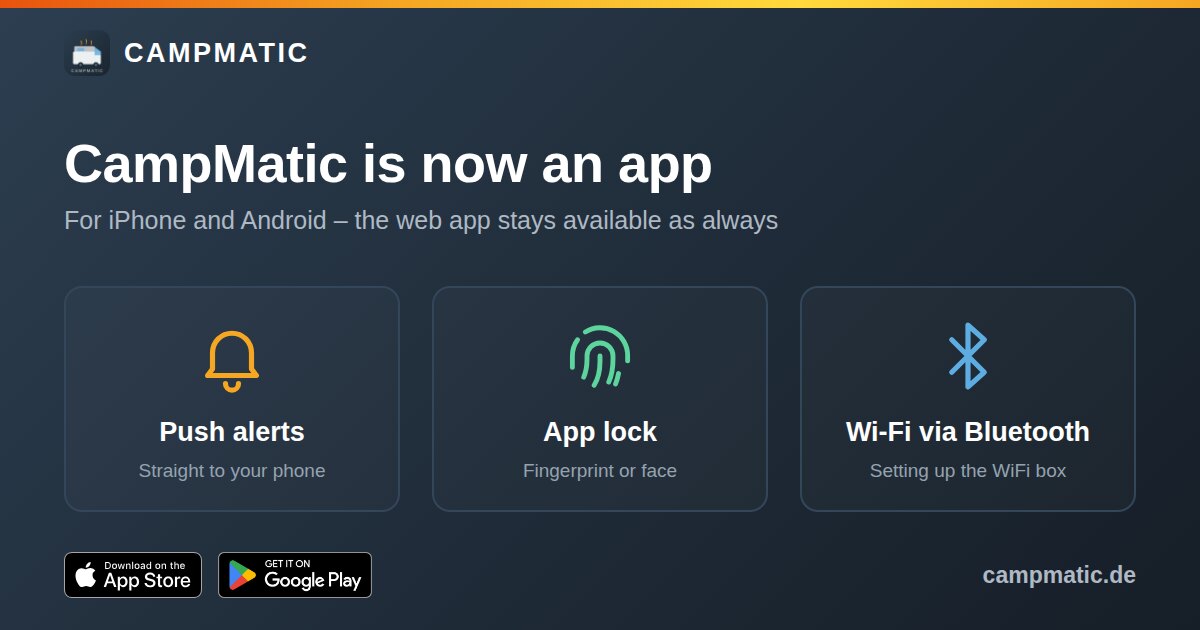
In short: CampMatic is now available as an app for iPhone and Android. You'll find it on the App Store and Google Play. Just search for "CampMatic" or download it here:


The app does everything you know from the web app: switch heating and hot water, set the target temperature, create schedules, and keep an eye on gas bottles and the leisure battery. On top of that it brings a few things only a real app can do. And if you'd rather not install anything: the web app at campmatic.de/app stays available as always.
What the app adds
Push notifications straight to your phone
Until now, alerts came by email or via the Telegram bot. The app adds push as a third channel. In the dashboard you choose for each alert type whether it arrives by push, email, Telegram or several of them. Depending on your box, these include:
- Box is offline
- Target temperature reached
- Heating or hot water switched on or off
- Temperature below or above your threshold, for example as a frost warning
- Warnings from your paired sensors, such as gas bottle almost empty or leisure battery low
- Schedules that have run
You switch push on in the app under "More". There is also a button for a test message, so you can check that everything arrives.
App lock via fingerprint or face
The app can switch your heater, so you can add an extra layer of protection. With the app lock switched on under "More", the app asks for your fingerprint or face when you open it and after one minute in the background, or for your phone's unlock code as a fallback. Your CampMatic login stays the same.
Wi-Fi setup of the WiFi box via Bluetooth
This is the biggest relief for anyone getting a new WiFi box. Until now you connected to the box's own Wi-Fi network and picked your network in the browser. That still works, but you no longer need it. In the app, your phone finds the box via Bluetooth, and you pick your Wi-Fi straight from the list:
- Power up the box and stay close by, no more than a few metres away.
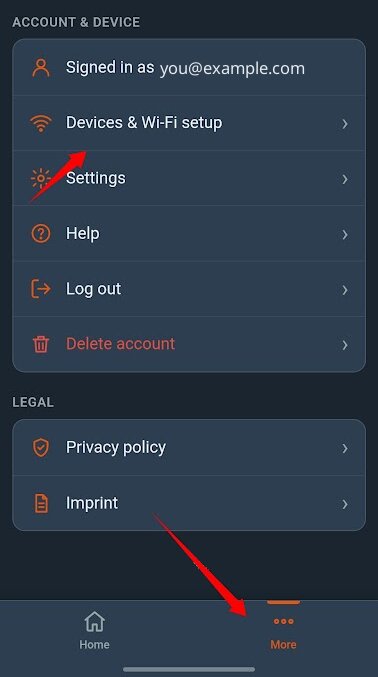
- In the app, tap "Devices" at the bottom. If you are already logged in, you'll find the setup under "More" → "Devices & Wi-Fi setup".
- Tap the box and enter the device PIN from the label.
- Pick your Wi-Fi, enter the password, tap "Connect" and wait until "Done!" appears.
New to CampMatic? Then "Create account" takes you straight to the registration, with the PIN already filled in. The full guide with all the details is in the help, tab "Via app (recommended)". Note: the box needs a 2.4 GHz Wi-Fi, for example the router in your motorhome or your phone's hotspot.
Changing the Wi-Fi later
New router, new pitch, different hotspot: you can now do that in the app too. Connect your phone to the same Wi-Fi as the box, open "More" → "Devices & Wi-Fi setup" and tap "Change Wi-Fi" next to your box. The box forgets its old network, restarts and shows up again via Bluetooth. Then pick the new Wi-Fi just like during the first setup. For your own box, the app doesn't ask for the PIN.
If the old Wi-Fi is out of range anyway, you can skip this step: when the box can't find its network, it becomes reachable via Bluetooth again by itself after about one and a half minutes.
Which CampMatic box does this apply to?
The app works with all CampMatic boxes: CampMatic Truma WiFi and GSM (4G) as well as CampMatic Guard WiFi and 4G. As before, heater control fits all compatible Truma heaters with CP Plus, whether gas, gas-electric or diesel, and whatever vehicle they are in.
Bluetooth setup only concerns the WiFi versions. A 4G box doesn't need Wi-Fi: it connects by itself via its SIM card.
The web app stays
Nobody has to switch. The web app at campmatic.de/app keeps running in the browser on phone, tablet and laptop, without installing anything. The app and the web app use the same account: you log in to the app with your usual email address and password and immediately see your box, your schedules and your sensors.
Everything else stays as it is too: the Telegram bot, email notifications and the connection to Home Assistant via MQTT.
Older box? Firmware before 1.32
Bluetooth setup and "Change Wi-Fi" need firmware 1.32 or newer on the box. With older firmware the app shows "Firmware update required" during setup. You can still use the app itself as normal: switch, view values and receive push alerts. Only the Wi-Fi is set up the old way in that case, via direct configuration.
Frequently asked questions about the app
Do I need a new account?
No. You log in with your existing CampMatic account. If you don't have one yet, you can create it right in the app.
What does the app cost?
There is no subscription and no monthly fee. Like the web app, the Telegram bot and the firmware updates, we provide the app free of charge. Details are in the terms of use.
The app can't find my box. What now?
Is the box powered on and are you close by? Have you allowed the app to use Bluetooth or "Nearby devices"? A box that is already connected to a Wi-Fi does not appear in the list. All the checks in order are in the help and in the FAQ.
Conclusion
The app makes CampMatic even easier to live with: alerts arrive as push notifications on your phone, the app can be locked with your fingerprint or face, and a new WiFi box is on your Wi-Fi via Bluetooth in a few minutes. The web app, the Telegram bot and Home Assistant all stay with you.
No box yet? How heater control by app works and which version suits you is explained in Caravan heating app control. Gas bottles and the leisure battery are covered in Monitoring heating, gas and battery.